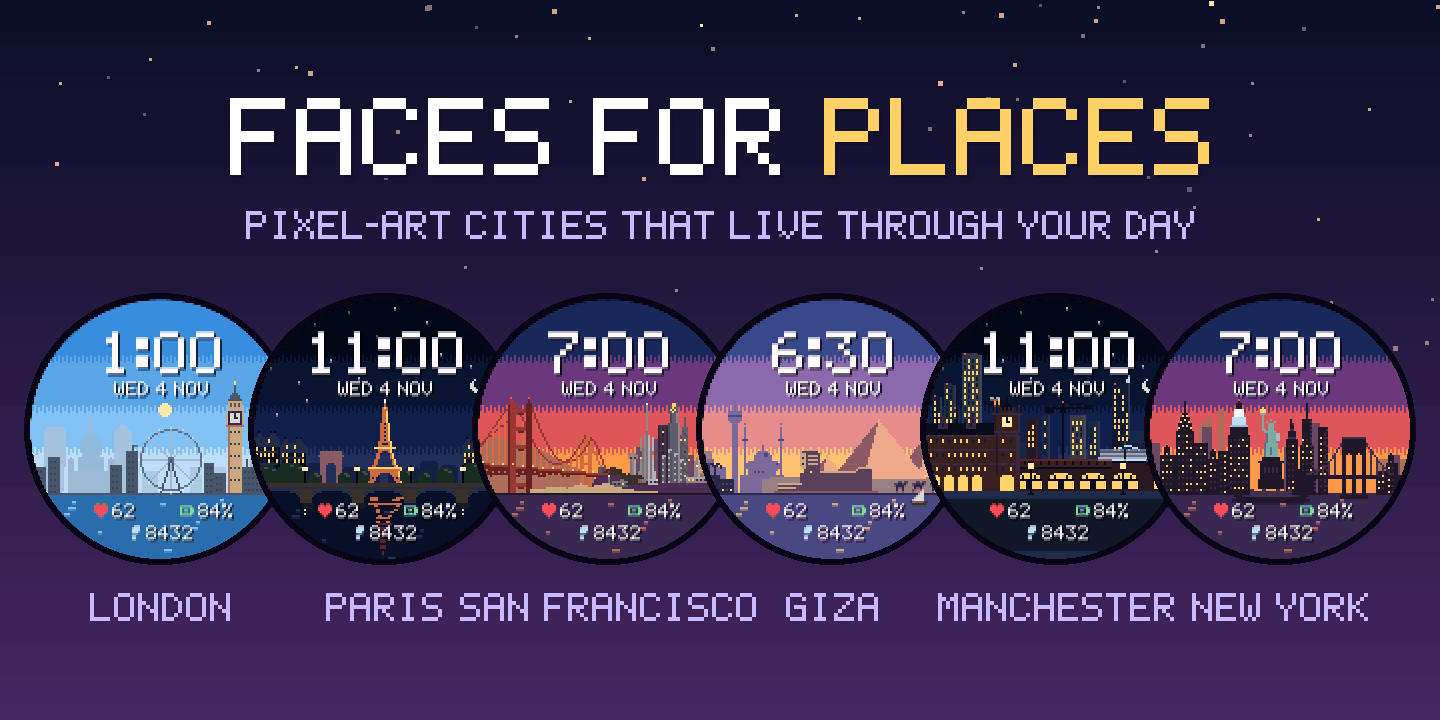
Watch faces whose sky follows your day
Six pixel-art cities for Garmin watches: London, New York, Paris, Manchester, Giza and San Francisco. The sky follows your real sunrise and sunset, and when it rains, snows or storms where you are, it does over the skyline too.
Get Faces for Places Lite free on the Connect IQ Store Get Faces for Places, all six cities, for £2.99The cities
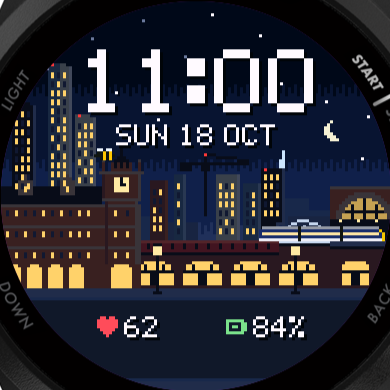
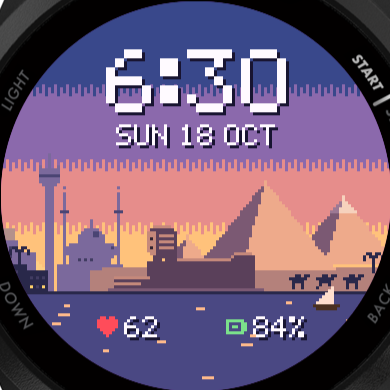
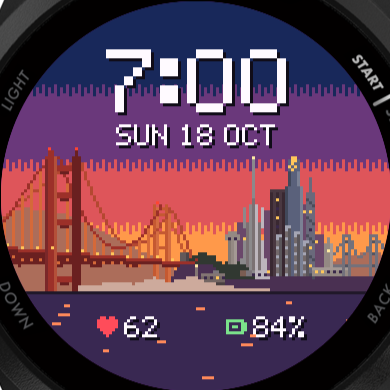
Each city is drawn pixel by pixel from its real skyline, with every sky, weather and animation below. London is free in Lite, and an unlock code opens the rest. The full version has them all.
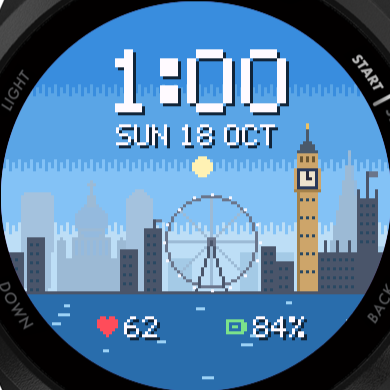
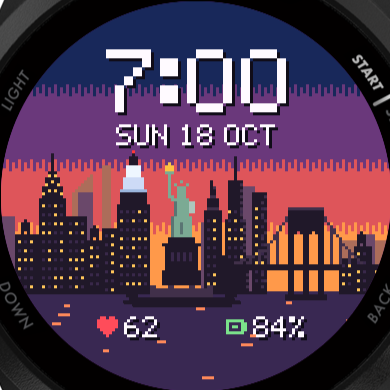
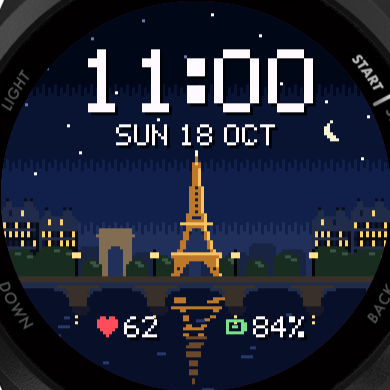
to me
Features
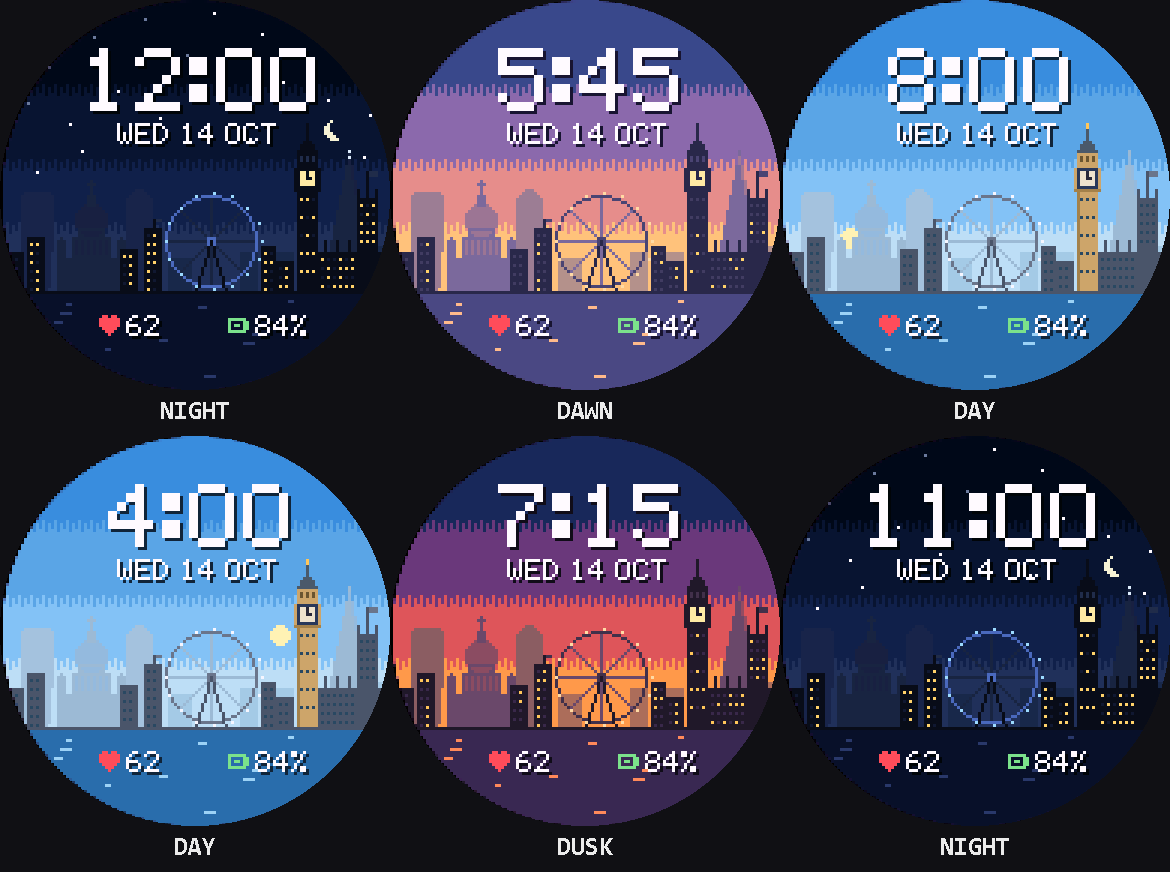
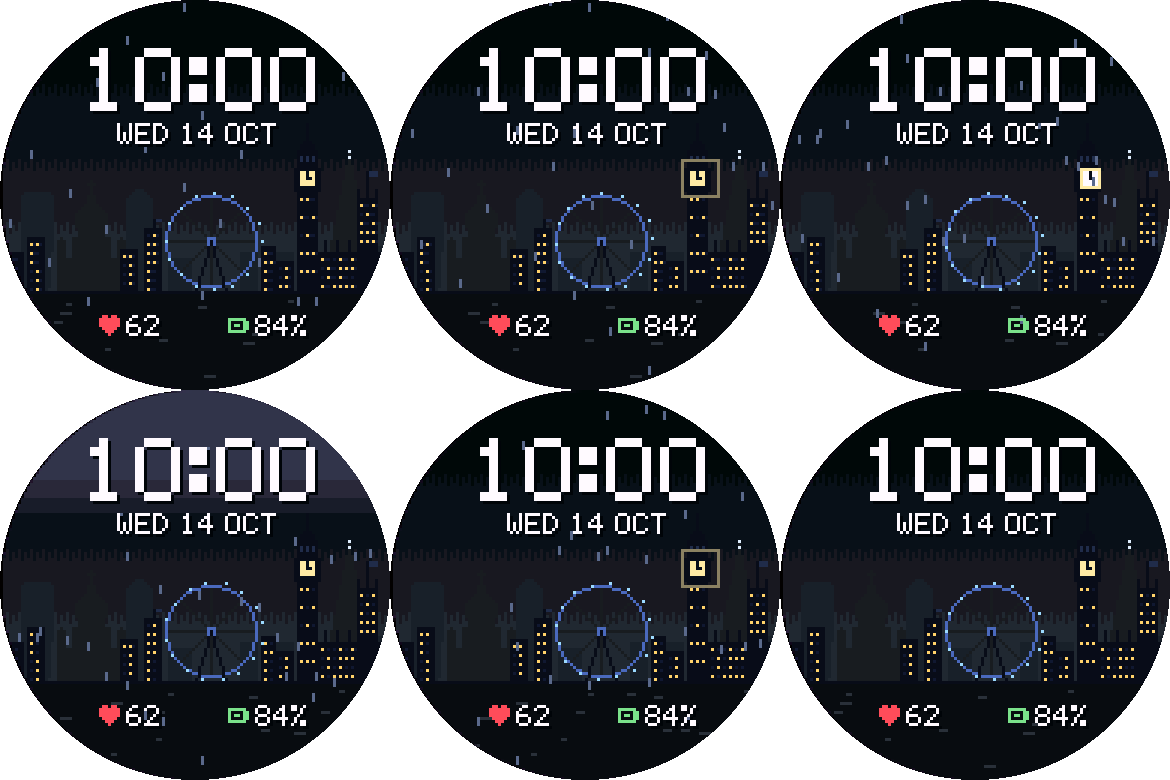
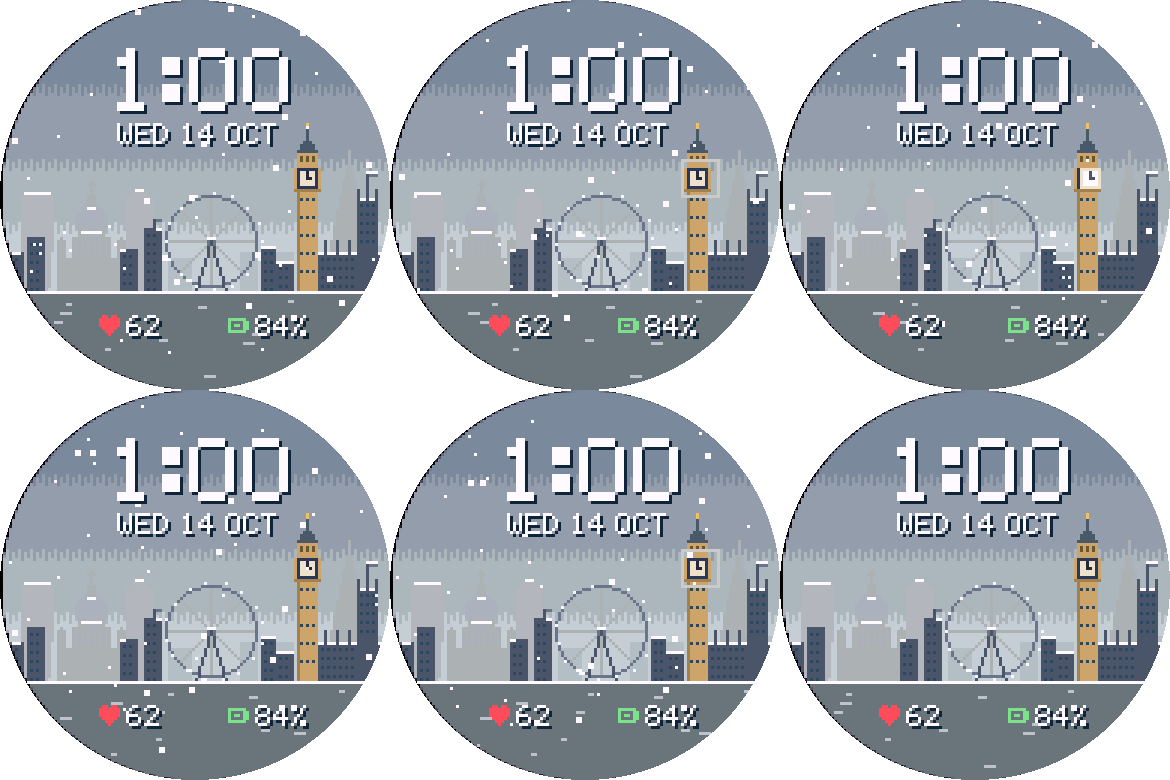
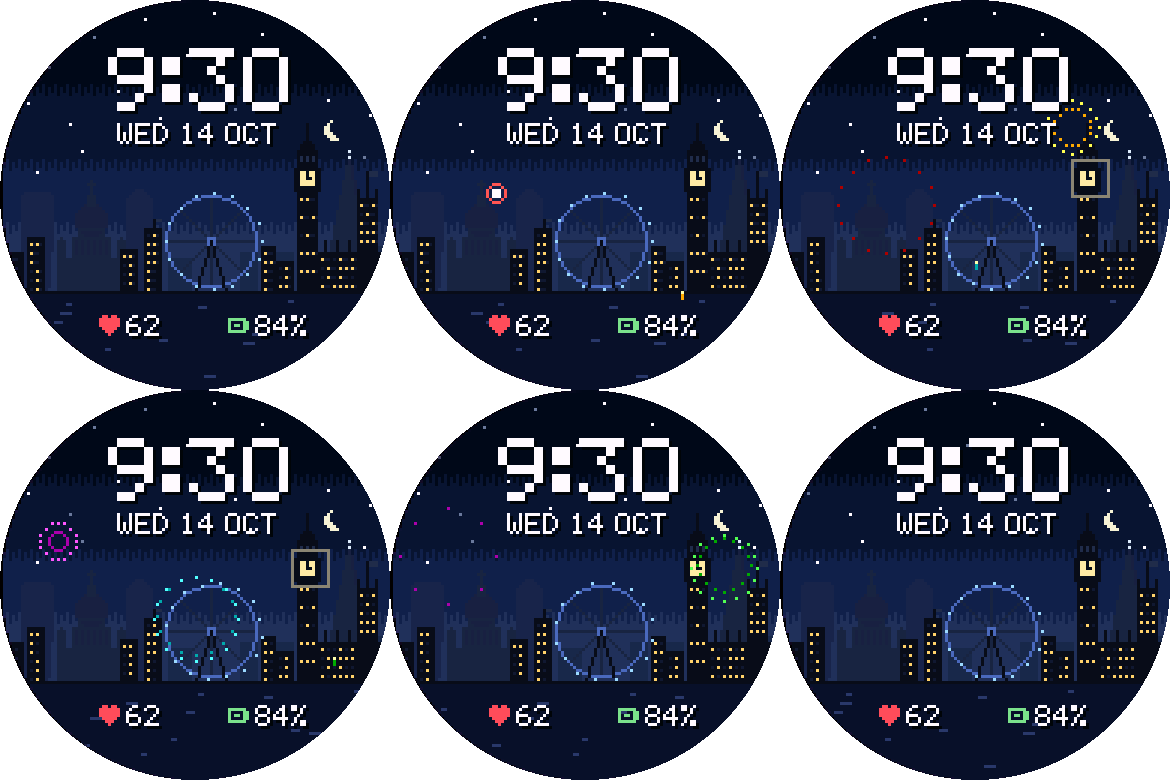
- Sky: dawn, day, dusk and night from your sunrise and sunset, with twilight as long as it is where you are
- Lighting: follow the sun, one time of day always, or your own times
- Weather: rain, snow, thunderstorms, sleet and clouds, each animated
- Weather source: Garmin, Open-Meteo or OpenWeather (your key), for your location or a custom one
- Wake animation: every wrist raise, at most every 15 minutes, or off
- Goal fireworks: steps, floors and intensity minutes
- Status icons: charging, phone out of range, and Do Not Disturb
- Slots: up to three, from heart rate, steps, battery, Body Battery, stress, temperature, feels like, today's high and low, rain chance, humidity, wind speed and direction, UV index, sunrise, sunset, calories, floors, intensity minutes, Pulse Ox, respiration, sleep score, altitude, recovery time and alarms
- Time and date: 12 or 24-hour; three date styles, or none
- Always-on: time, or time and date
- Settings: in the phone app or on the watch
- Languages: English, German, French, Italian, Spanish, Arabic, Chinese (Simplified and Traditional)
- Screens: AMOLED and MIP, with palettes for each
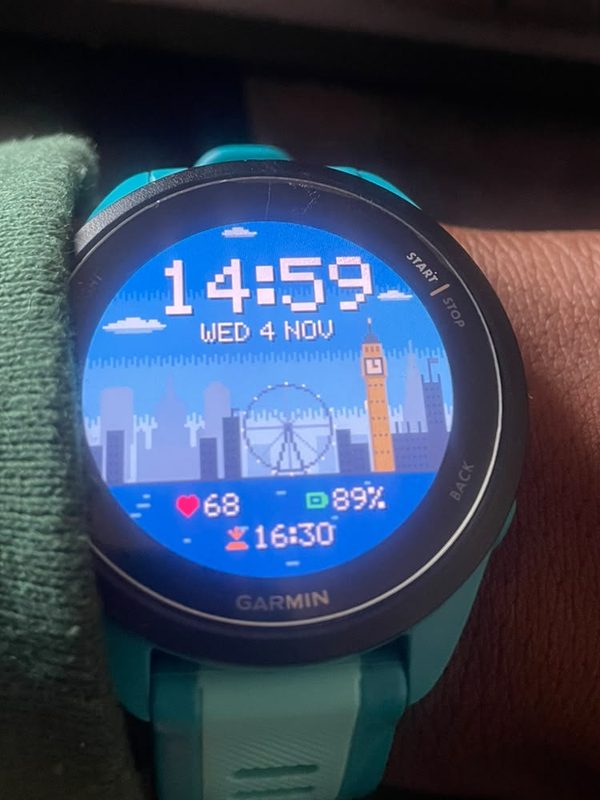
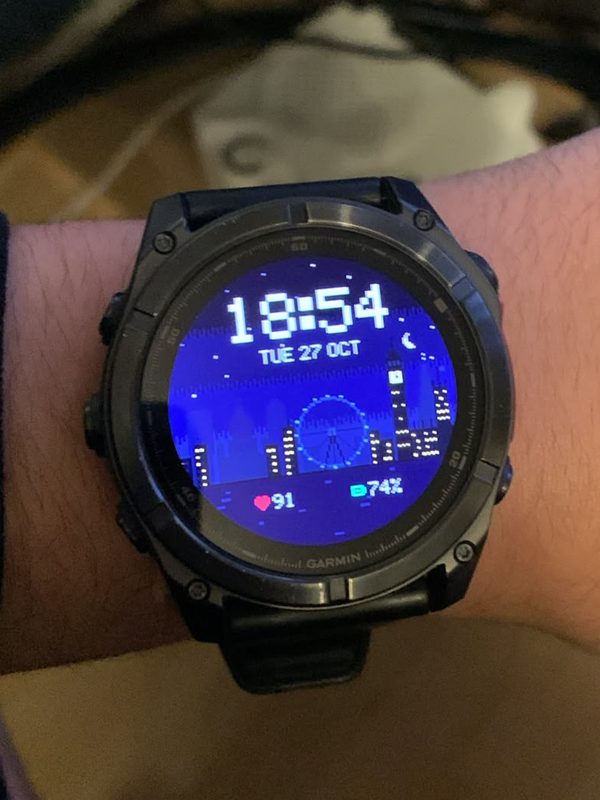
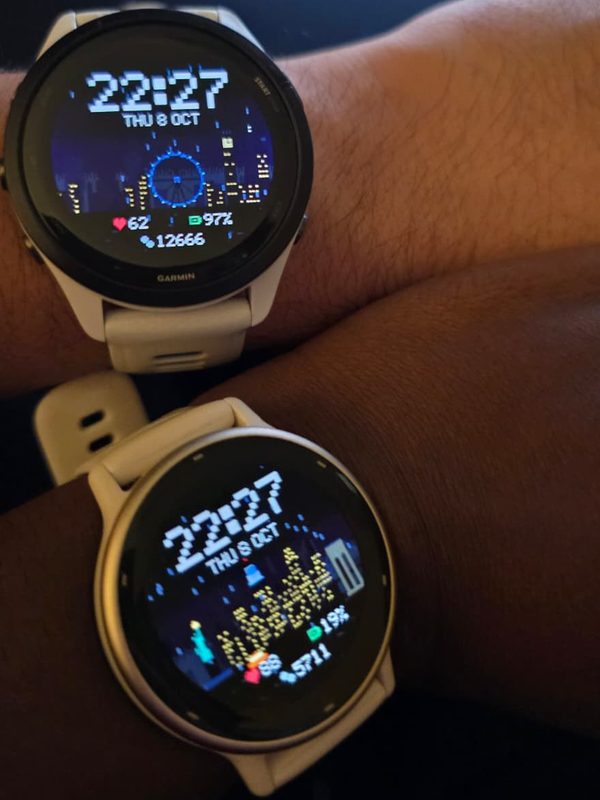
On real watches
Out of the simulator and onto real wrists. Got it on yours? Send me a photo.
Two editions
Both have the same skies, weather, animations and settings. The difference is the cities.
Faces for Places Lite
Free, on the store now
- London
- Every sky, weather, animation and setting
- The other cities are locked: unlock them for £2.99
Faces for Places
£2.99, on the store now
- London, New York, Paris, Manchester, Giza and San Francisco
- Nearest to me: the city closest to you
- Every sky, weather, animation and setting
On your screen
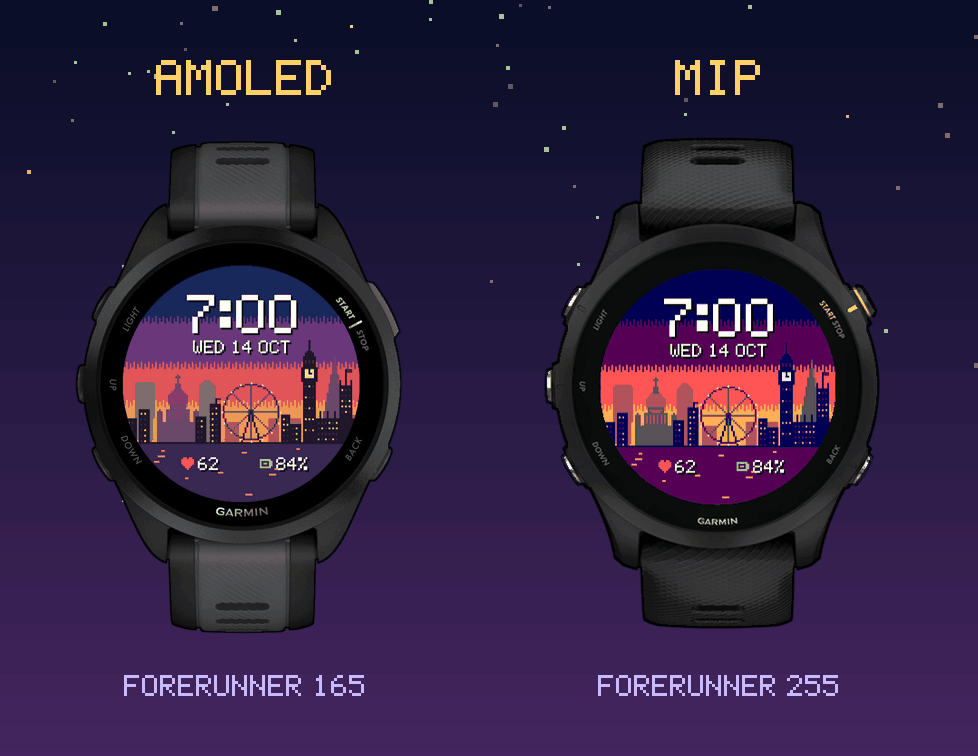
AMOLED watches show the scene in full colour. MIP watches (Forerunner 255, fenix 7, Enduro and others) have 64 colours, so they get palettes made for them, and the scene looks a little different:
FAQ
How do I install it?
In the Connect IQ Store app on your phone, search for "Faces for Places", choose Install, and it goes to your watch at the next sync. On the watch, pick it like any other watch face. When it asks, allow location: it picks your sunrise, sunset and weather (see Privacy).
What's the difference between Lite and the full version?
Only the cities. Lite is free and has London, with every sky, weather, animation and setting. The full version (£2.99) adds New York, Paris, Manchester, Giza and San Francisco, and Nearest to me. Try Lite first to see how it looks on your watch. You can also unlock everything in Lite for the same price.
How do I unlock the other cities in Lite?
Find the watch code in Lite's settings (on the watch: Customise, first row), enter it on the unlock page and pay £2.99. You get an unlock code to enter in Lite's settings on your phone, and every city opens on that watch. A code only works on the watch it was made for. You can get a refund within 48 hours by emailing me.
How do I change the settings?
On the phone: in the Connect IQ Store app, open the face under your watch's watch faces and choose Settings. On the watch: open the watch face's menu and choose Customise. Both have the same settings in the same order: the everyday ones first, then Display and battery, Sky and lighting, and Weather source.
I changed a setting on the phone and it went back
Garmin's phone app can lose a change made inside a section (Display and battery, Sky and lighting, Weather source) if you go back without saving. Press Save before leaving the section, or change it on the watch (Customise), which always keeps it.
How does Nearest to me work?
In the full version, Nearest to me (the default Place) shows whichever city is closest to you, using your phone's location or the watch's last GPS fix. It checks again when you raise your wrist, so it changes when you travel. Pick a city under Place to keep that one.
Which weather source should I use?
- Garmin (the default): uses the least battery, and works with the phone away for a while. It's said to not be as accurate as the others though
- Open-Meteo: free, nothing to set up.
- OpenWeather: needs your own free API key from openweathermap.org, typed into the OpenWeather API key setting. A new key can take a few hours to start working.
The web sources are fetched through your phone every 15, 30 or 60 minutes, as you choose, so the phone needs to be nearby with Bluetooth on.
OpenWeather's free service has no rain chance, UV index or high and low, so with it those slots show Garmin's. With a custom location they show -- instead, as Garmin's weather is only for where you are.
The weather on the watch isn't what I see outside
Weather reaches the watch through your phone, so it can be a little behind, and Garmin's reading comes from a nearby weather station. A web reading more than 6 hours old stops showing rain. If it's often wrong for you, try another weather source.
What are the little icons above the time?
A plug means the watch is charging. A crossed-out phone means your phone is out of range, so the weather won't update until it's back. A moon means Do Not Disturb is on. You can turn any of them off under Display and battery.
Does it use much battery?
The defaults (Garmin weather for where you are) use the least. Web weather, a custom weather location and the wake animation on every wrist raise use more; the settings mark them with "more battery".
When do the fireworks go off?
The next time you raise your wrist after reaching your step or floors goal (once a day each) or your intensity-minutes goal (once a week). You can turn them off in the settings.
Which watches does it work on?
Round Garmin watches with Connect IQ 5 or 6 (Forerunner, fenix, epix, Enduro, Venu, vivoactive, Instinct AMOLED and others), plus the Venu Sq 2 and Venu X1. The store page lists every model. The Venu 2, 2S, 2 Plus, Venu Sq 2, Sq 2 Music and D2 Air X10 have the first five cities: they don't have room for San Francisco.
Can I suggest a city?
Yes, please! Leave a review on the store page or email me. More cities are on the way.
Contact
Faces for Places is made by one independent developer in the UK. Questions, bugs or ideas: sunshallowed@protonmail.com, or Contact Developer on the store page. I reply within 48 hours, and I see messages much sooner than reviews.